Installation
Requirements
- Blender 5.0
- Windows, macOS, or Linux
Home Builder is available on the Blender Extensions Platform
Install from Extensions Platform
This is the easiest way to install Home Builder 5.
-
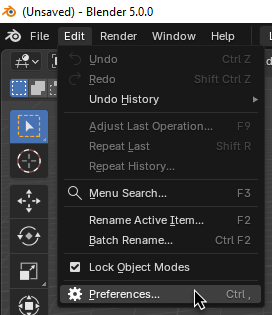
Go to Edit → Preferences.
-
In the
Get ExtensionsTab clickAllow Online Access.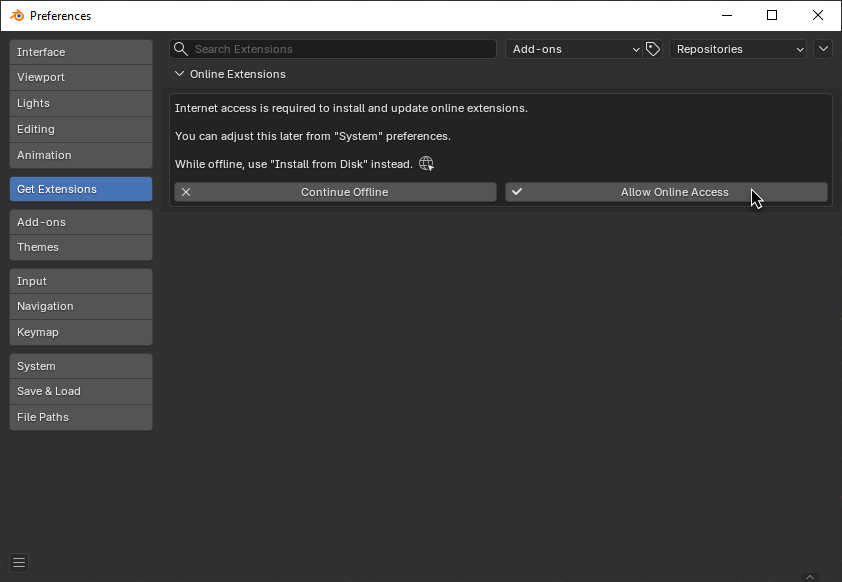
-
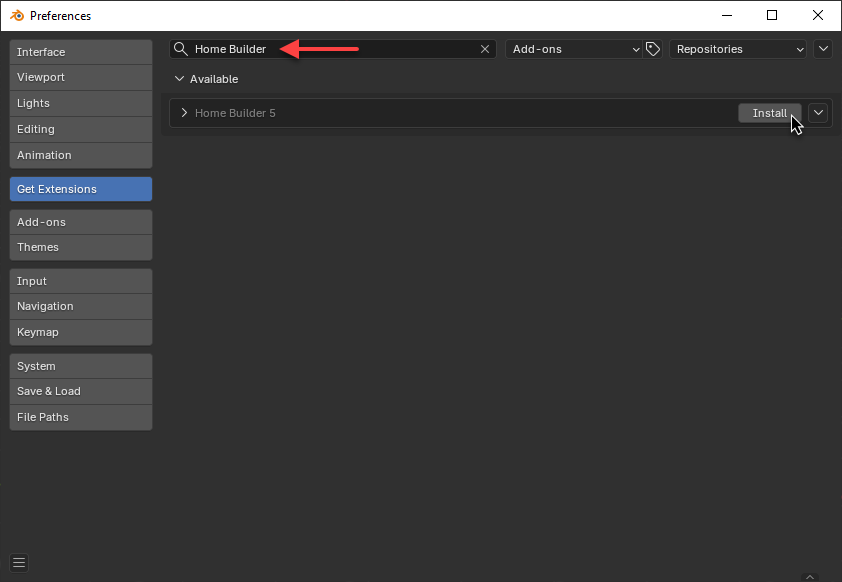
Search for Home Builder, and click Install.
Install from Disk
If you would rather install the add-on manually follow these steps.
- Download the latest release
.zipfrom the Blender Extensions Platform - Open Blender
- Go to Edit → Preferences → Add-ons
- Open the dropdown menu (top-right) and select Install from Disk...
- Select the downloaded
.zipfile
Don't extract the ZIP
Install the .zip file directly. Do not unzip it first.
Verify Installation
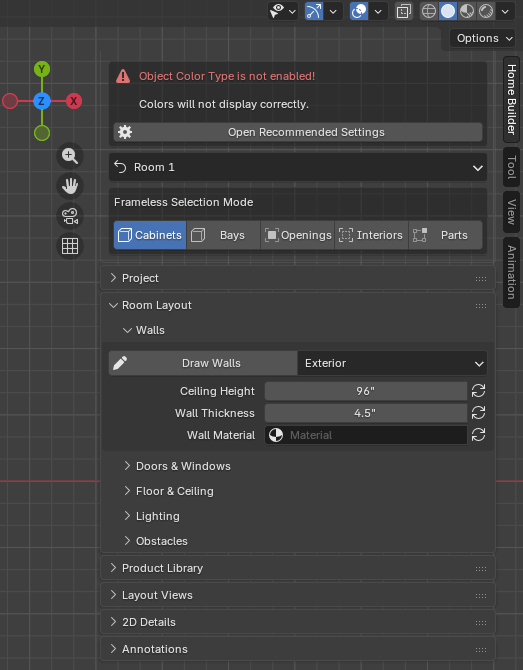
After installing, press N in the 3D Viewport to open the sidebar. You should see a Home Builder tab.
If you see a warning about "Object Color Type is not enabled", click Open Recommended Settings to configure Blender for Home Builder.